> For the complete documentation index, see [llms.txt](https://docs.ozone.one/ozone-end-user-guide/llms.txt). Markdown versions of documentation pages are available by appending `.md` to page URLs; this page is available as [Markdown](https://docs.ozone.one/ozone-end-user-guide/documentation/setup/integrations/managing-source-code-integrations/bit-bucket.md).
# Bit bucket
### **Steps to Create a Bitbucket Integration**
\
For Personal Access Token permissions and guidelines, follow this link [Bitbucket | In-Product Guides](https://docs.ozone.one/in-product-guides/bitbucket)
**Pre-requisites**
* Username
* personal access token
**Steps:**
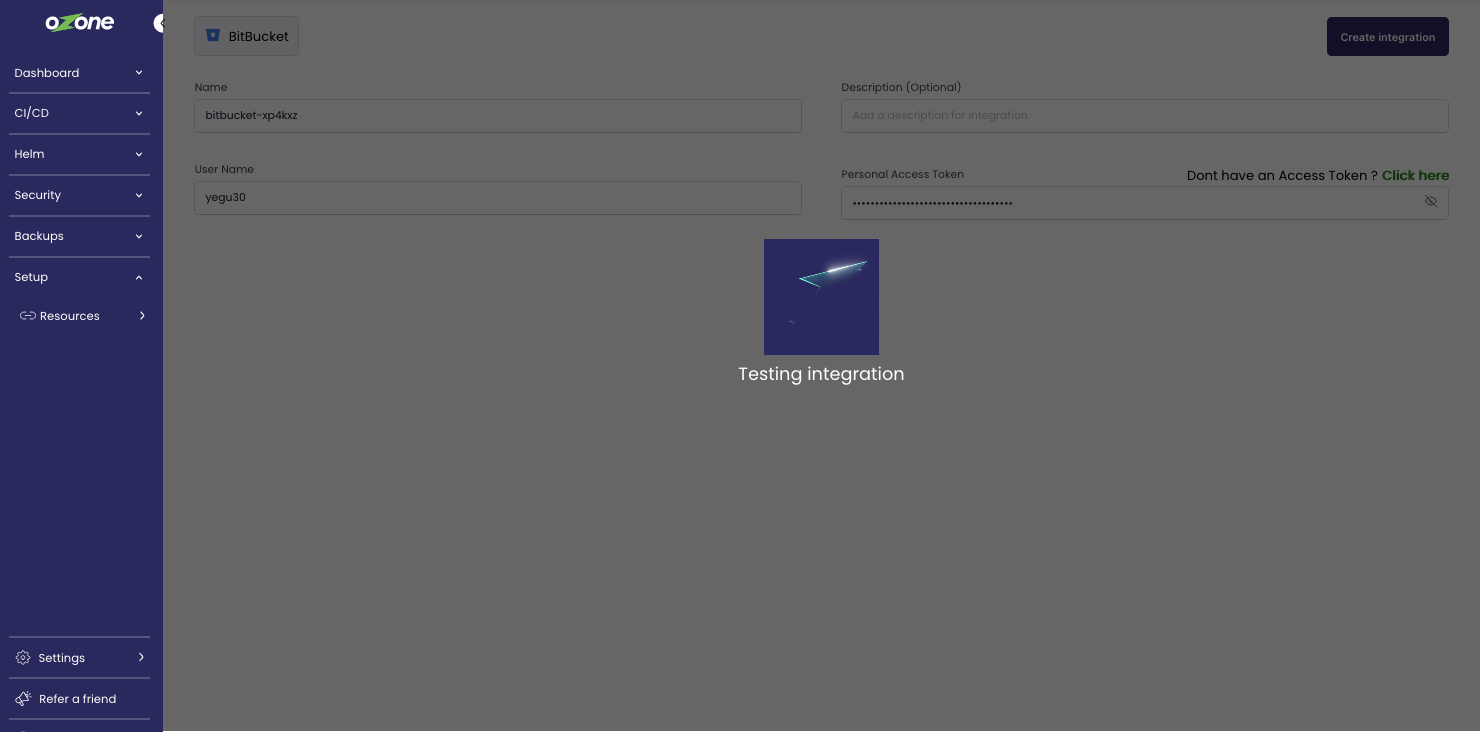
1. Enter the details required to link your provider for onboarding the repository and click **Create Integration**.
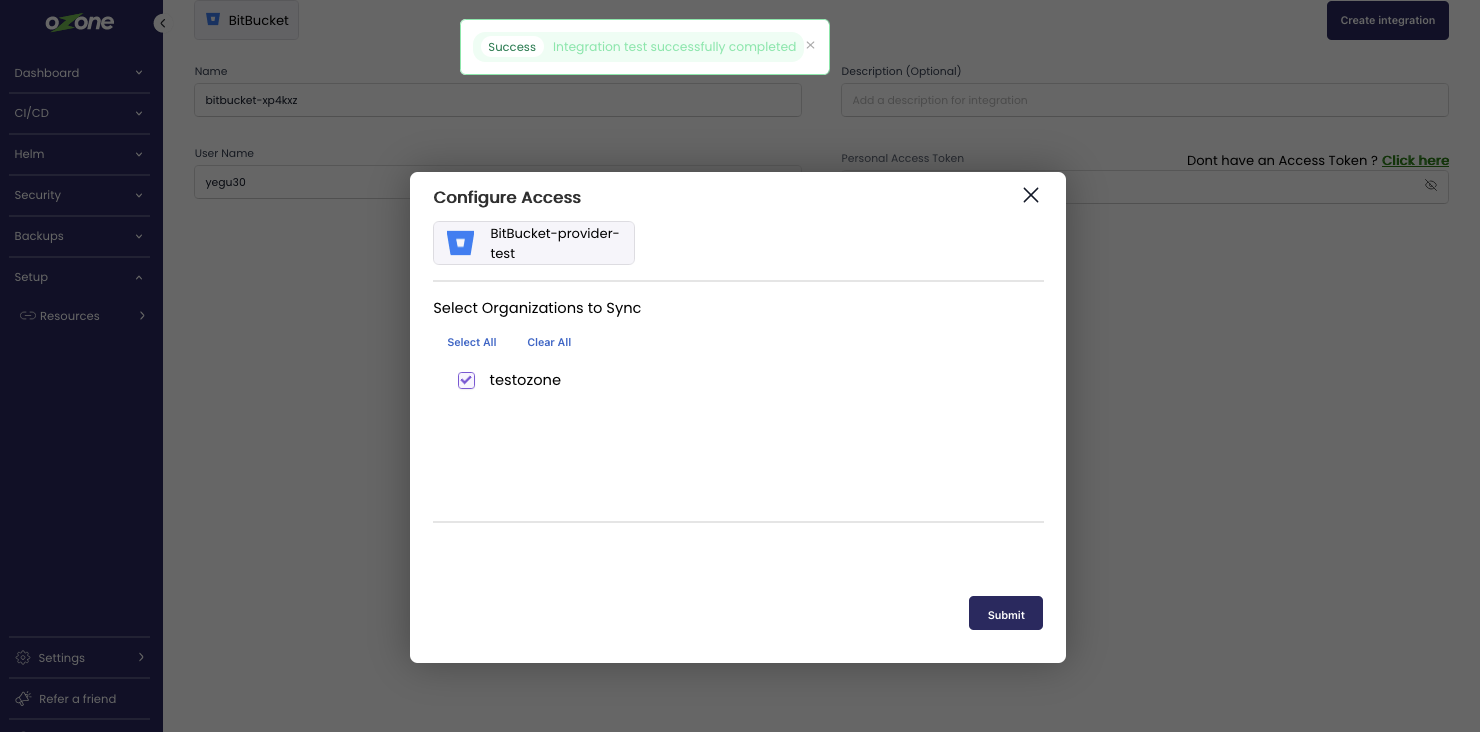
2. Once the credentials are verified a modal window is shown to choose the organisations you want to integrate to Ozone.
Once you have done selecting repositories click on **Submit** below the modal window\
\
3\. Once the integration is created, the resources will be synced, and the status of the resource synced will be shown on the top left of the integration card ( as shown above - *Failed)*\
click the card to get a detailed view of the integration created, The user can view the credentials and the resources that are synced, in this case the sync fails the user can click the sync icon on the top right to sync again\
\
This integration Syncs repositories from your Bitbucket provider